Education
How Keke Kids Taught Preschoolers to Trace Letters and Earned a 5.0-Star Rating
Techparser built Keke Kids, a Flutter tracing and matching app for preschoolers, live on the App Store and Google Play with 500+ installs and 5.0 stars.
- Client
- Keke Kids
- Industry
- Education
Results
- 500+
- Installs on Google Play as of September 2026
- 5.0★
- Google Play rating, published by TECHPARSER, LLC
- 5
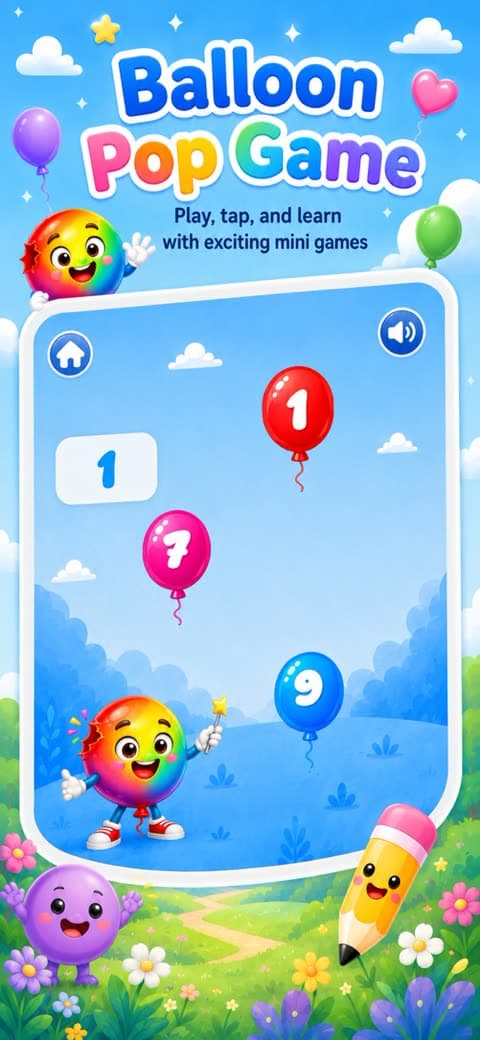
- Learning modes: tracing, line tracing, trace-and-fill, colouring and matching
The problem
Preschoolers learn letters and numbers by tracing them, and most tracing apps get the hard part wrong: they accept any scribble as success, or they demand a precision a three-year-old does not have. Keke Kids needed a tracing experience that guides a small hand along the right path, in the right order, starting at the right point, and celebrates real progress without punishing wobble. It also had to run on tablets in landscape, in short sessions, with sound and feedback doing most of the instruction because the user cannot read yet.
The learning content had to cover more than one skill: letters, numbers and shapes to trace, lines to follow, shapes to trace and fill, colouring, and matching. Each mode is a different interaction, but a child should feel they are in one app, with the same pencil, the same sounds and the same reward when something is finished, and a parent should not need to configure anything.
What Techparser built
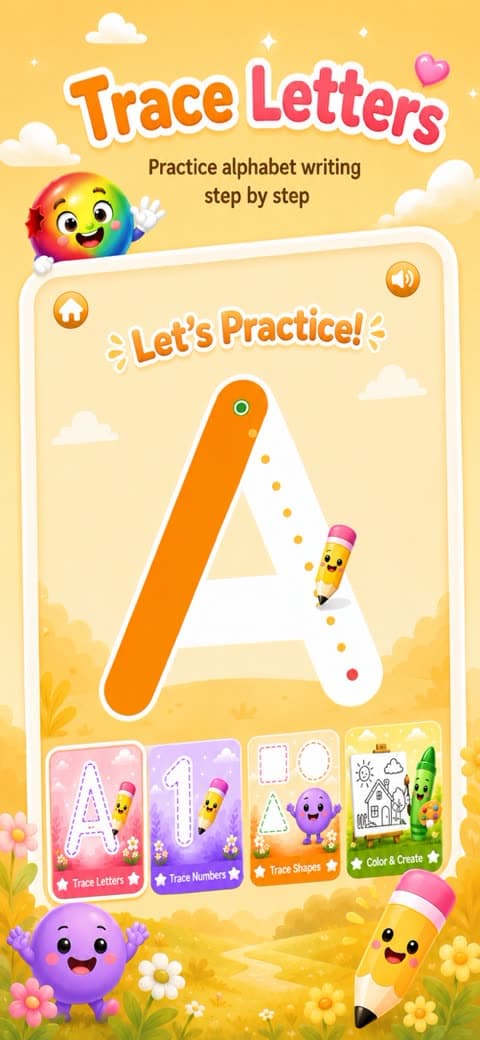
- Letter, number and shape tracing with guided paths parsed from SVG, segment-by-segment progression, a start-point rule so the child begins at the green dot, and auto-fill when a segment reaches 95 percent.
- A draggable pencil the child moves with a finger, with hit-testing that converts screen coordinates back into SVG space to decide which segment is being traced.
- Line tracing, trace-and-fill, colour-the-shapes and matching activities, each its own module sharing the same pencil and feedback.
- Audio and haptic feedback for starting a segment, finishing a segment, completing a letter and trying again, plus background music and a confetti animation on success.
- A landscape-only layout scaled from an 874 by 402 design size so it fits phones and tablets, with the screen kept awake while a child is tracing.
- Saving a finished coloured shape to the device photo gallery, so parents keep the result.
- A settings screen and a home menu with animated card selection and sound.
Decisions that mattered
Guide, do not grade
The tracing engine tracks progress per path segment from zero to one and snaps to complete at 95 percent, so a wobbling finger that covers most of the stroke succeeds while a random scribble does not. The child must begin each stroke at the marked start point, which teaches stroke order rather than just the shape. Feedback is immediate and audible, since a three-year-old reads a sound faster than a message on screen.
One structure for five activities
Each activity is a self-contained module with a controller, a reactive store and a repository that loads and parses the SVG asset, so adding a new mode such as matching meant adding a module rather than touching the tracing engine. Constants such as pen width, completion threshold and start-point tolerance live in one place, tuned once for all modes. The app has no backend and needs no account, so there is nothing to configure, nothing to fail on a poor connection, and no data collected from children.
Let sound do the teaching
A preschooler cannot read a hint, so the app speaks through sound instead. There are distinct cues for picking a card, starting the first segment of a letter, moving to the next segment, completing the letter, succeeding at an activity and being asked to try again, with a brush sound while colouring and background music underneath. Haptics reinforce the same moments. A child learns what each sound means within a few letters, which is faster than any on-screen instruction.
Built for a tablet on a table
The app is landscape only and scales from an 874 by 402 design size, the shape of a tablet lying flat in front of a child. The screen is kept awake while the app is open, because a tracing session pauses often and a screen that dims mid-letter breaks concentration. Finished colouring can be saved to the photo gallery so a parent can keep it, which is the one place the app touches anything outside itself.
Outcome
Keke Kids is live on the App Store and Google Play, with a companion site at kekekids.app. As of September 2026 the Google Play listing, published by TECHPARSER, LLC, shows 500+ installs and a 5.0-star rating. The app runs entirely on the device, with no backend, no account and no network dependency.
Questions about this project
- What does Keke Kids teach?
- Tracing of letters, numbers and shapes with guided stroke order, line tracing, trace-and-fill, colouring shapes and matching. Every activity uses the same draggable pencil and the same audio and haptic feedback, so a preschooler who has learned one mode can use the others without instruction. The app runs in landscape on phones and tablets.
- What stack was Keke Kids built with?
- Flutter, with routing. Letter and shape paths are SVG assets parsed with path_drawing and rendered with flutter_svg and custom painters, audio runs through audioplayers, the success animation is Lottie, and layout scales with flutter_screenutil from a landscape tablet design size. The app has no backend, no account and no network dependency.
- Can Techparser build an educational app for children for us?
- Yes. Keke Kids covers the hard parts of an early-learning app: touch input tuned for small hands, progress rules that reward real effort, audio-led instruction for users who cannot read, and a structure that makes new activities cheap to add. Techparser can build a similar app from your curriculum or extend an existing one. Book a call to discuss the activities you have in mind.